
SENBONO Smart Watch for Men with SIM-Free Calling, 1.95" Large Display, 340mAh Long Battery, Wireless 5.2, High Quality, 100+ Sport Modes, Watch Faces, / Compatible Smartphone Replacement (BT8959T5)
Black
$17.86
Skip to product information



SENBONO Smart Watch for Men with SIM-Free Calling, 1.95" Large Display, 340mAh Long Battery, Wireless 5.2, High Quality, 100+ Sport Modes, Watch Faces, / Compatible Smartphone Replacement (BT8959T5)
$17.86
How to use the watch correctly?1. Scan the QR code, or search and download the Fitcloudpro APP directly;2. Open the Fitcloudpro APP, search for the device in the APP, find the device and connect;3. Agree to all requests of the Fitcloudpro APP;4. The language and time of the watch will be synchronized with the information on the mobile phone, and you can use the watch to make calls;5. If you want to use more functions, you can choose in the Fitcloudpro APP.
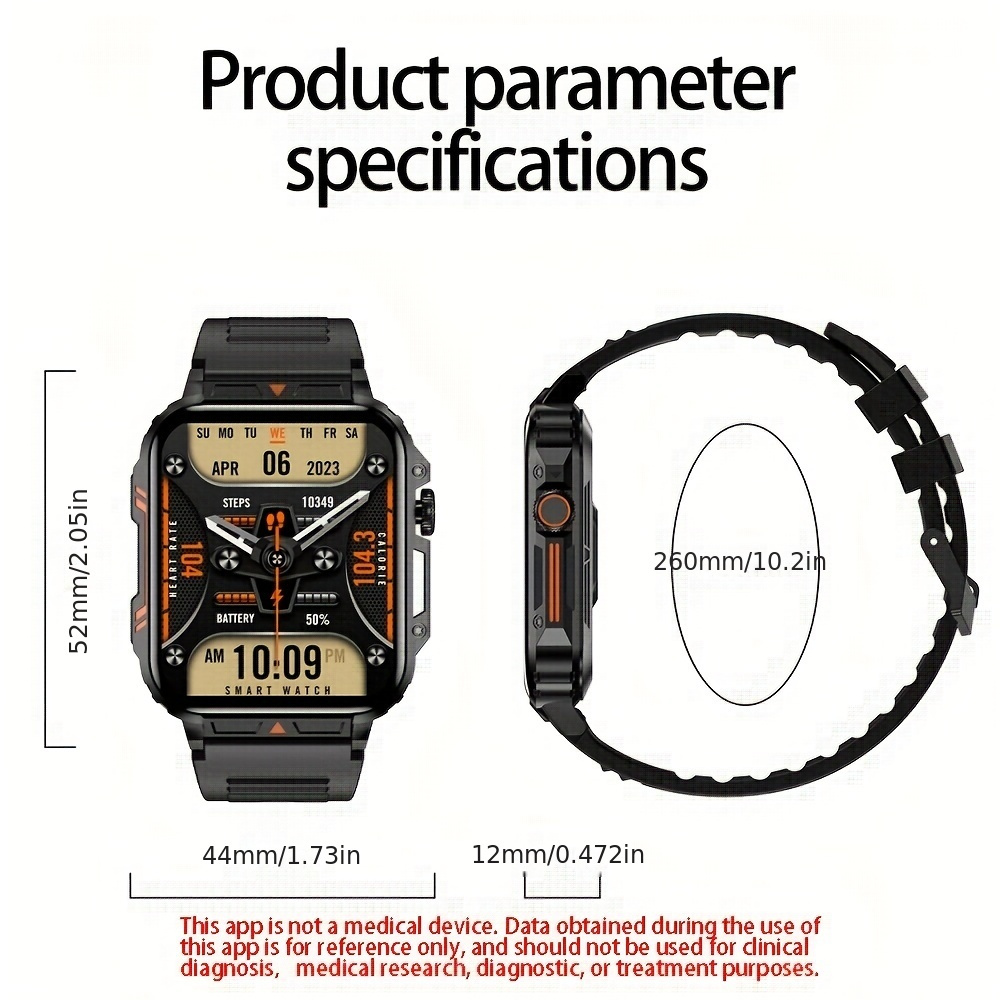
Product Features:- 1.95inch arge color display 240*282 resolution- Wireless Answer And Make Call- 100+ Sport Modes- Cool Exclusive Various Dials- Multiple Menu Mode- Intelligent Life Applications
Package includes: watch, manual, charging cable
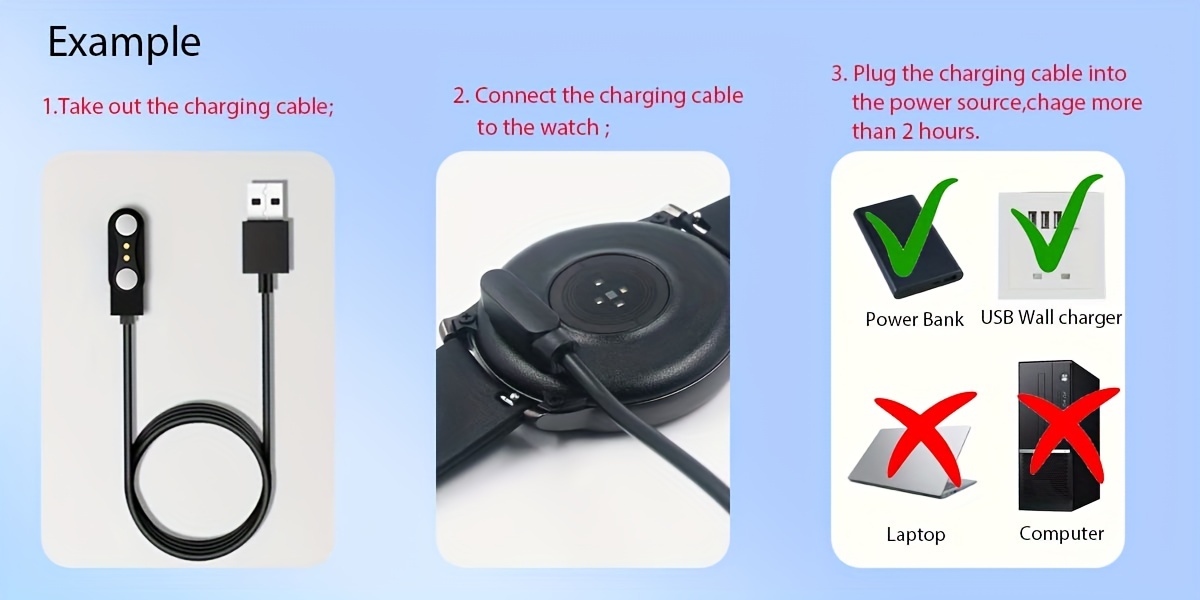
How to charge the watch?1. Take out the charging cable in the product box;2. Connect the charging cable to the watch;3. Plug the charging cable into the power source;4.Please charge the watch more than 3 hours first time.
Note: Please do not use a computer or laptop to charge the watch, because the voltage of the computer and laptop is too low, and it takes a very long time to charge the watch to have enough energy.
Smartwatch Precautions1. Charging and Battery Care: - Use the provided charger and cable to charge your smartwatch. - Avoid overcharging the battery as it can reduce its lifespan. - Disconnect the charger once the battery is fully charged. - Avoid exposing the smartwatch to extreme temperatures, as it can affect battery performance.
2. Maintenance and Cleaning: - Regularly clean the smartwatch with a soft, lint-free cloth. - Avoid using harsh chemicals or solvents that can damage the watch's surface. - If the strap is removable, clean it separately according to the manufacturer's instructions.
3. Software and App Updates: - Keep your smartwatch's software and companion apps up to date. - Firmware updates often include bug fixes and new features. - Check for updates regularly through the manufacturer's official website or app store.